
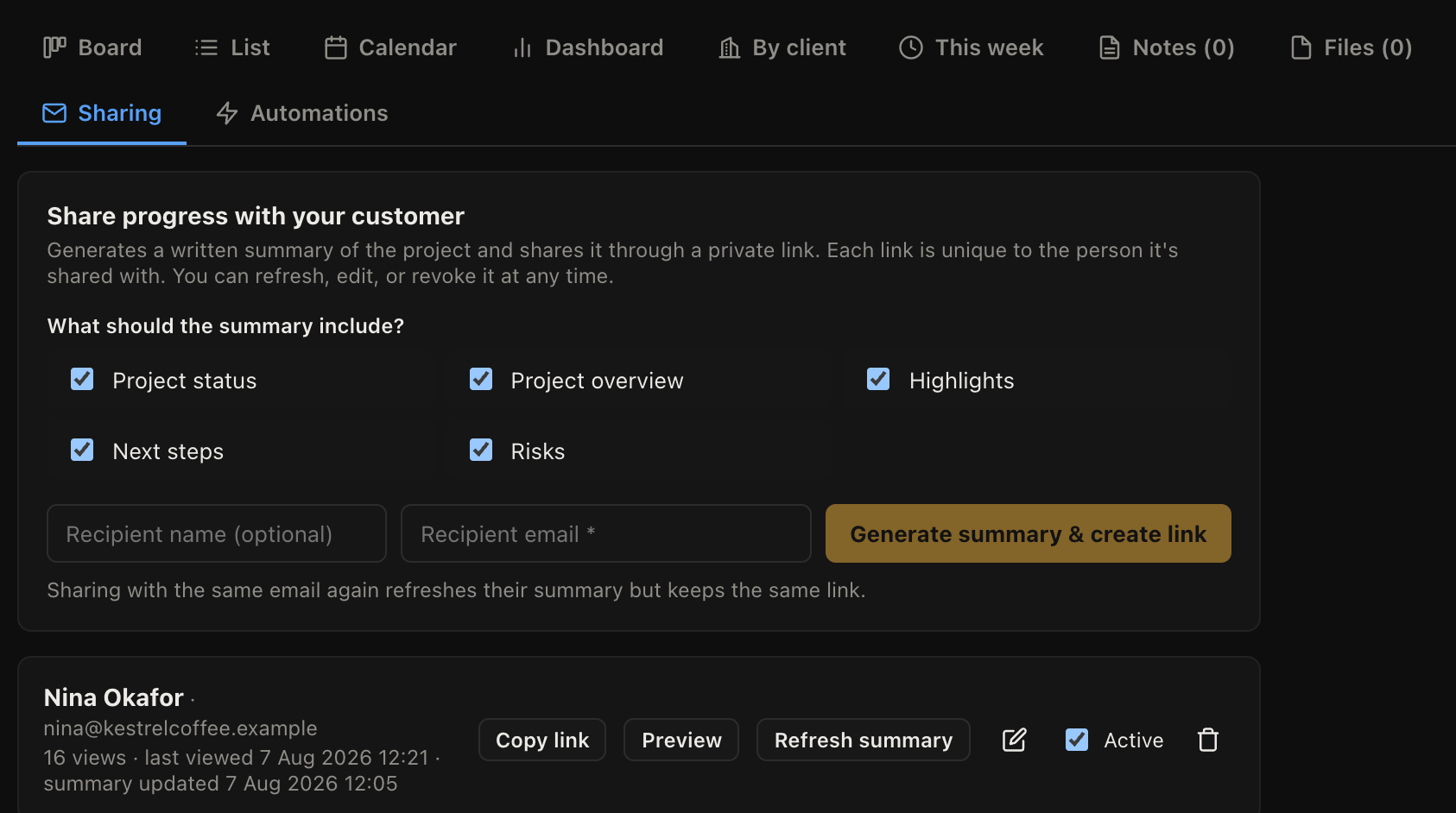
The Sharing tab on a project generates a written summary of where the work has got to and shares it through a private link.
Creating a link
- Open the project and go to Sharing.
- Choose what the summary should include.
- Enter the recipient's email address.
- Click to generate.
The summary is written from the project's actual state: what is done, what is in progress, what is coming. You get to read it and edit it before anyone else sees it, and you should, because the value of a customer update is in the sentence the machine cannot know.
One link per person
Each link is unique to the person it was shared with. Sharing with the same email address again refreshes their summary and keeps the same link, so a customer can bookmark it.
That also means access can be withdrawn from one person without affecting anyone else.
Keeping it current
Refresh summary regenerates it from the latest state of the project. The page shows when the summary was last updated, so nobody is reading three-week-old news believing it is today's.
The edit button lets you change the wording by hand, which survives until the next refresh.
What the customer sees
A clean page with the summary and progress. No login, no account, nothing of your internal notes or costs.
Revoking
The revoke button kills a link permanently. Use it when a job finishes or a contact leaves, and be relaxed about it: creating a new one takes a few seconds.