
A dependency records that one task cannot start until another is finished. It is how a plan stops being a list and starts being a sequence.
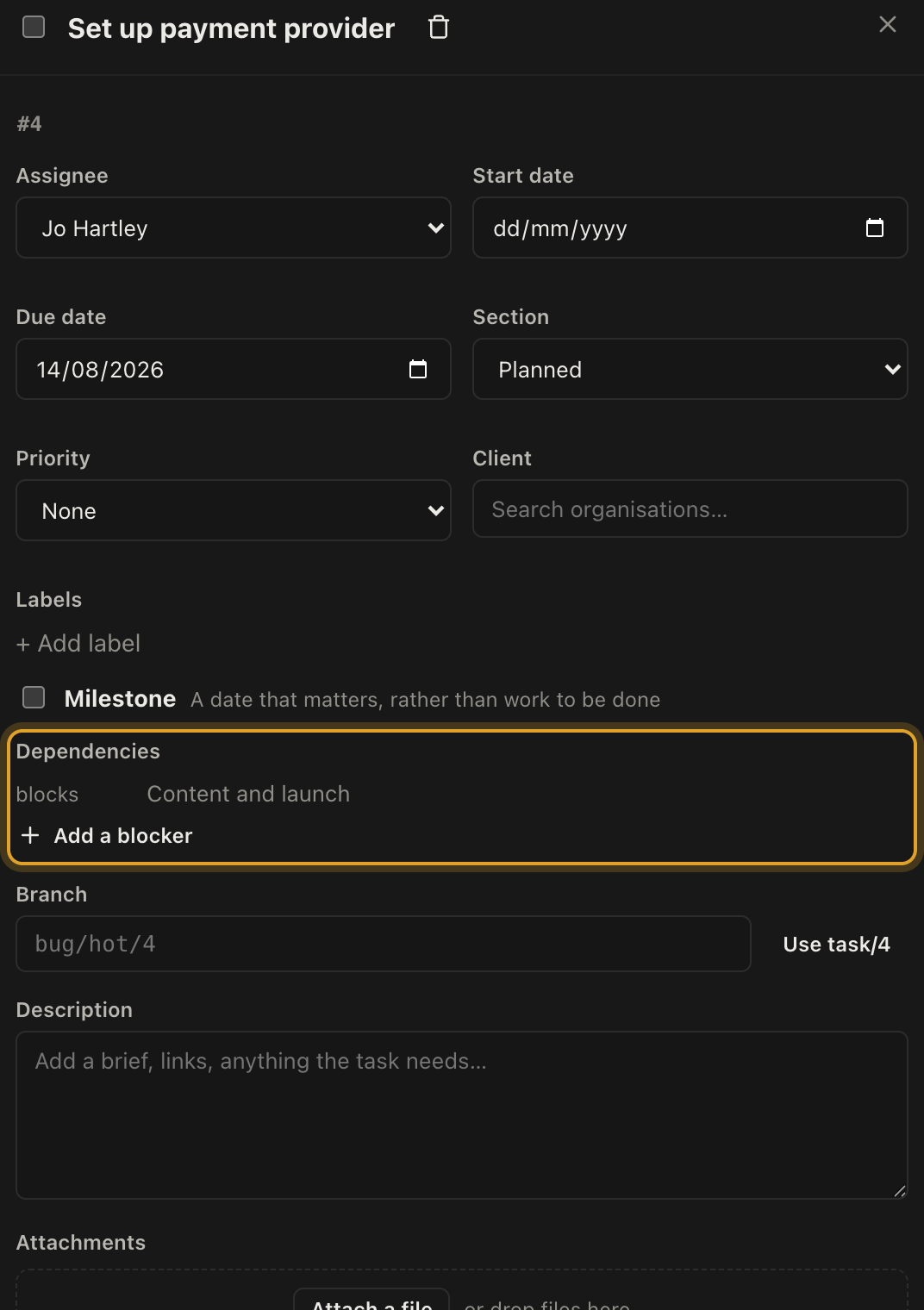
Adding one
- Open the task that has to wait.
- Find Dependencies.
- Click Add a blocker and choose the task it waits on.
The panel then reads in two directions: waits on for the things blocking this task, and blocks for the things waiting on it. A finished blocker is struck through, so you can see at a glance whether the way is clear.
Blocked counts
When a task has unfinished blockers, the panel says Blocked by 2 in red, and the count appears on the task in the list view. That is the signal to look for when a project feels stuck: usually one late task is holding up four others, and the count tells you which one to chase.
Loops are refused
If a dependency would create a circle, where A waits on B and B waits on A, the product refuses it and tells you which link caused the problem.
That is deliberate. A circular plan cannot be completed, and finding out at the point you drew it is much better than finding out in week six.
Milestones
A milestone is a marker rather than a job: the date the site goes live, the date the client signs off, the date the scaffold comes down.
Tick Milestone on any task and it is shown with a diamond wherever it appears, so it reads as a date to hit rather than a piece of work to do.
Milestones are worth putting in even when nobody has to do anything on the day. They are what a project gets planned backwards from.