For estate agents, letting agents, block and property management and developers. Result Studio tracks the instruction, the viewings, the offer and the maintenance issues that follow, with the landlord, the tenant and the property all on the same record.
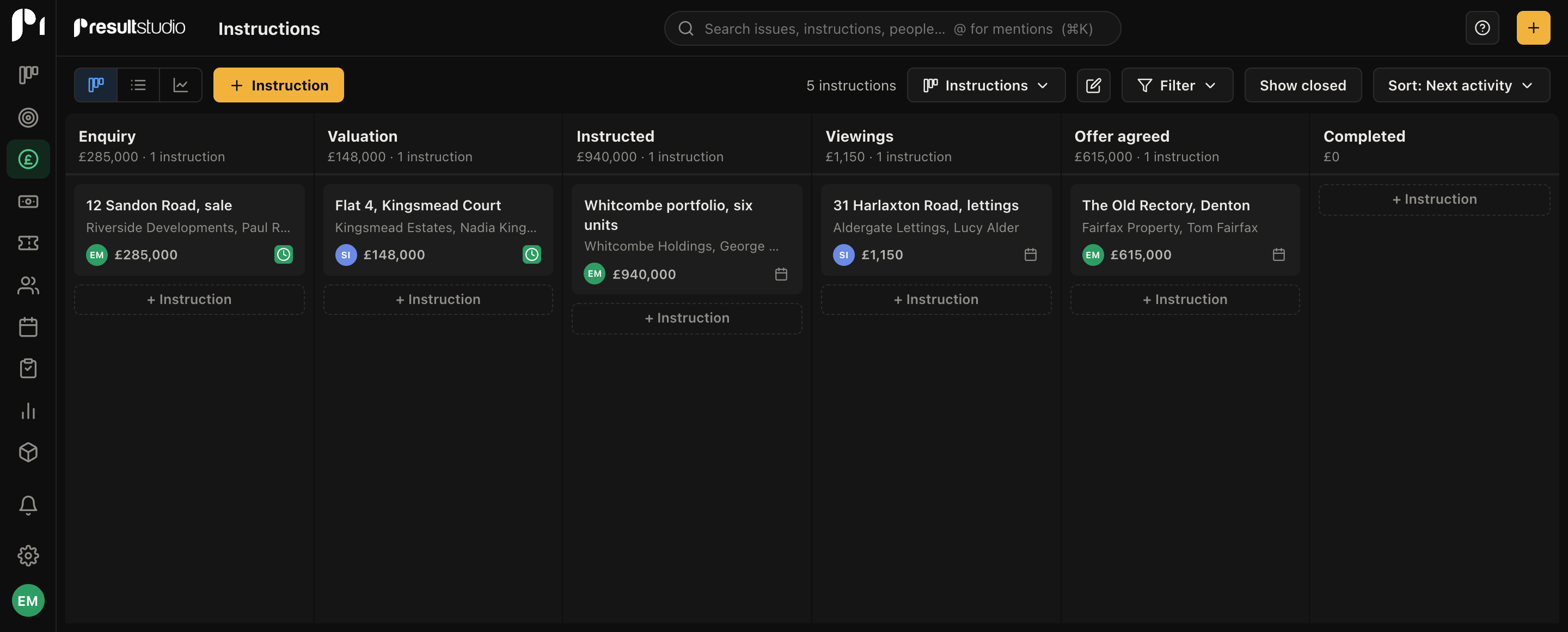
The board reads Enquiry, Valuation, Instructed, Viewings, Offer agreed, Completed. You get Instructions and Properties rather than Deals and Projects, Issues rather than Tickets, and labels for Managed, Let only and Arrears.
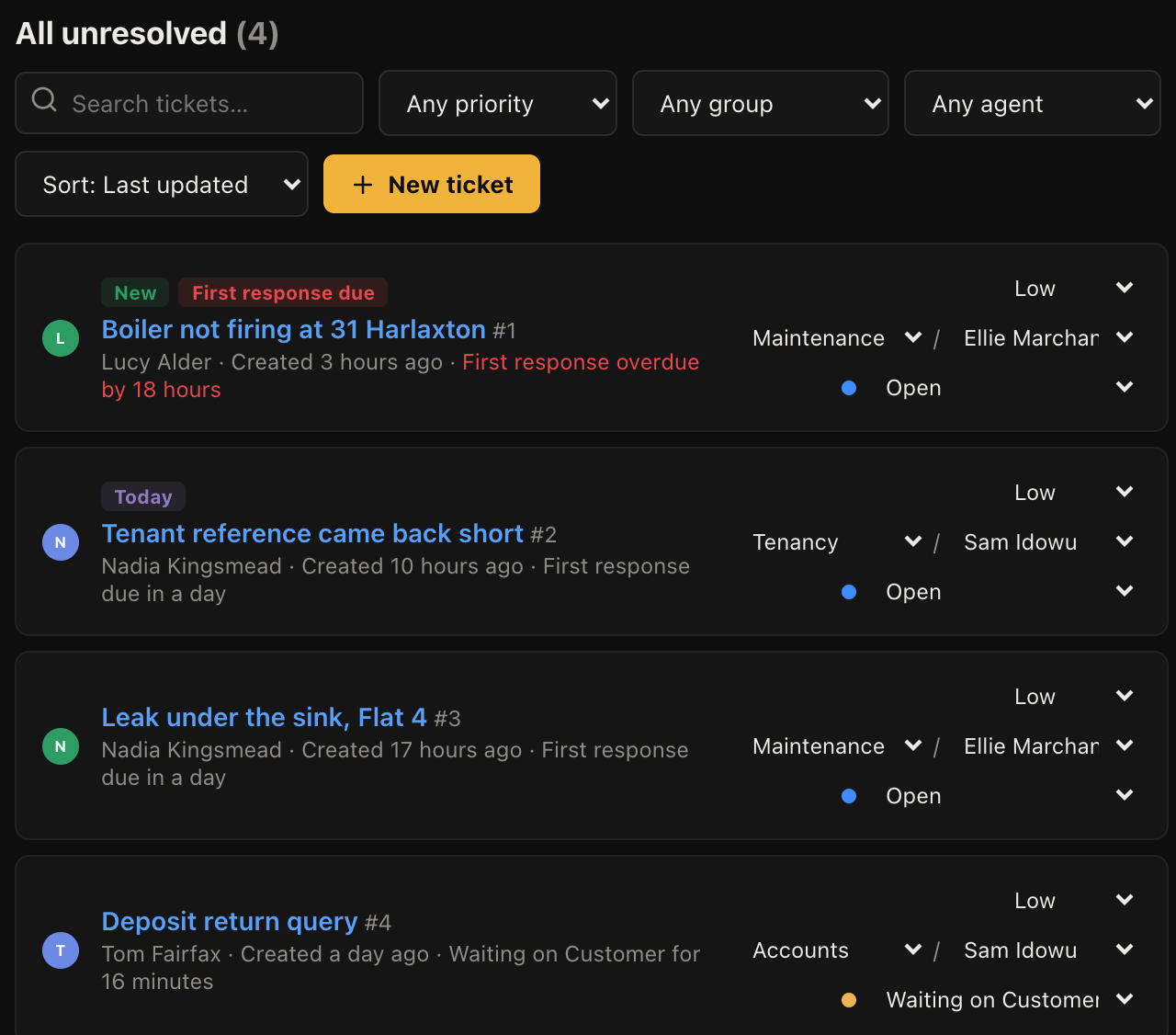
Maintenance is a queue with response deadlines rather than a pile of emails, because a reported leak that nobody picked up is the thing that loses an instruction.
None of it is locked. Rename anything, add stages, delete what you do not use.
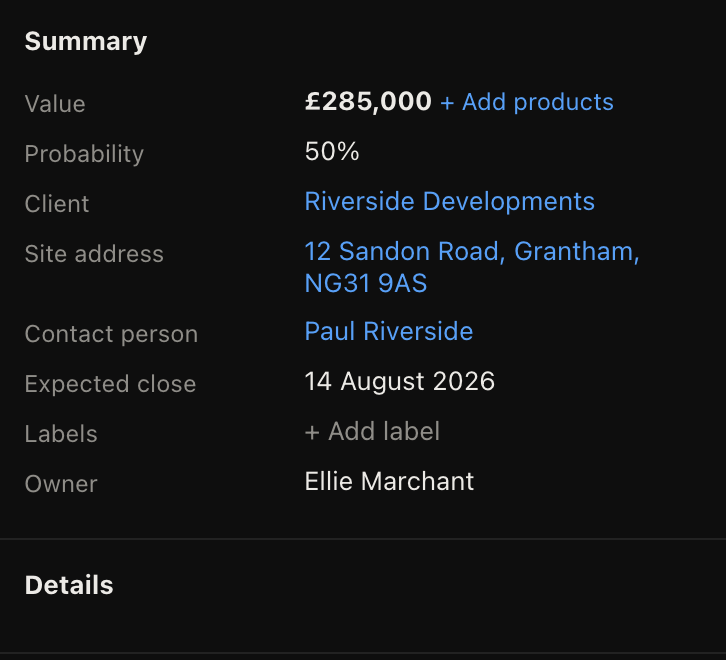
An instruction carries the landlord, the applicants, the viewings and the offers. Its own site address means the property is recorded separately from wherever the landlord lives, which for a managed portfolio is the difference between usable and useless.
Tenants report a problem by email or web form and it becomes a tracked issue with a response deadline, routed to the right person. The tenant can follow the thread from a link without an account, so chasing calls drop.
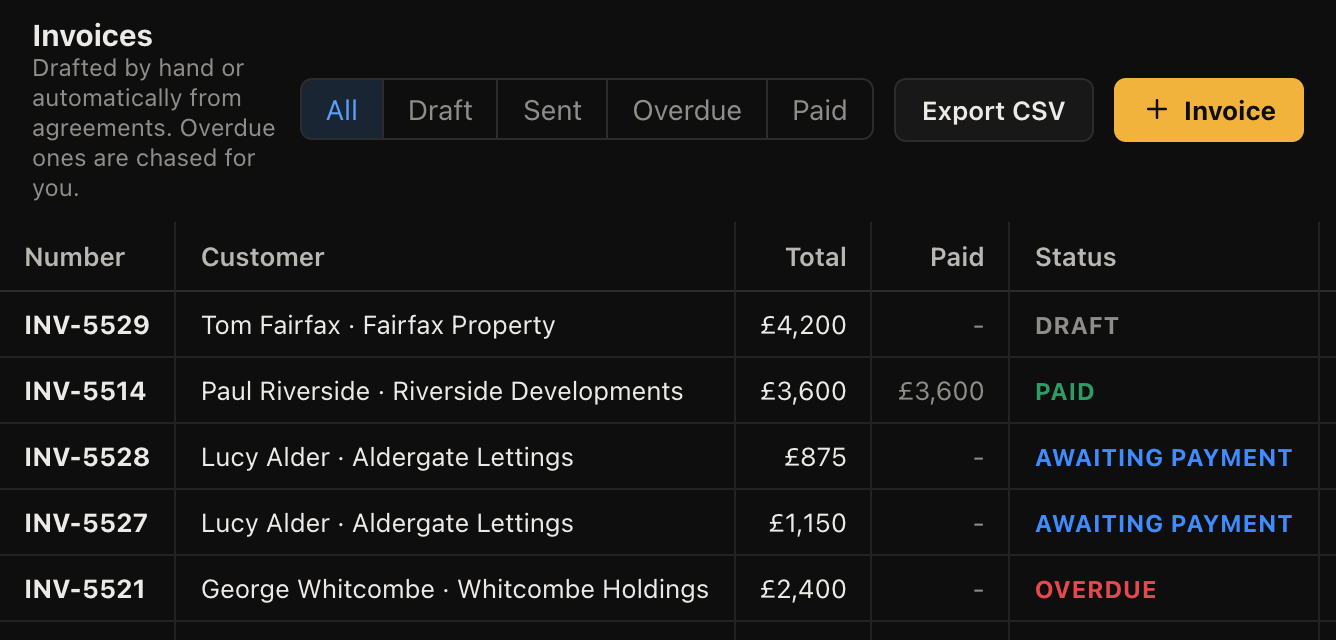
Invoice management fees and commission from the same place as the instruction, on a recurring schedule where it repeats. Overdue amounts chase themselves, and an Arrears label keeps the problem accounts visible.
No, and for a sales agency that is a significant gap. There is no portal feed of any kind. You would keep your listing software and use this for the relationship, the pipeline and the maintenance side.
No. It does not do client money accounting, rent ledgers, or deposit scheme registration, and it is not built to the regulatory standard those require. Keep your client accounting system.
No. It will hold the signed PDF against the property so the paperwork lives with the record, but it does not generate documents.
The relationship and the workload: who is instructed, what is booked, what has been reported and not fixed, and what has not been paid. If you are drowning in maintenance emails and chasing fees, that is the part it does well. If you need portal feeds and client accounting, this is a companion rather than a replacement.
Yes. People and companies link to properties and instructions, so a landlord with six properties and their tenants all sit in a structure you can navigate.
A hundred business types to choose from, each with a board and wording that already fit. Free while we are in beta.
