For accountants, solicitors, surveyors, brokers and consultants. Result Studio keeps the client, the matter, the correspondence and the file in one place, so answering "where are we on this" takes a second rather than a search through three inboxes.
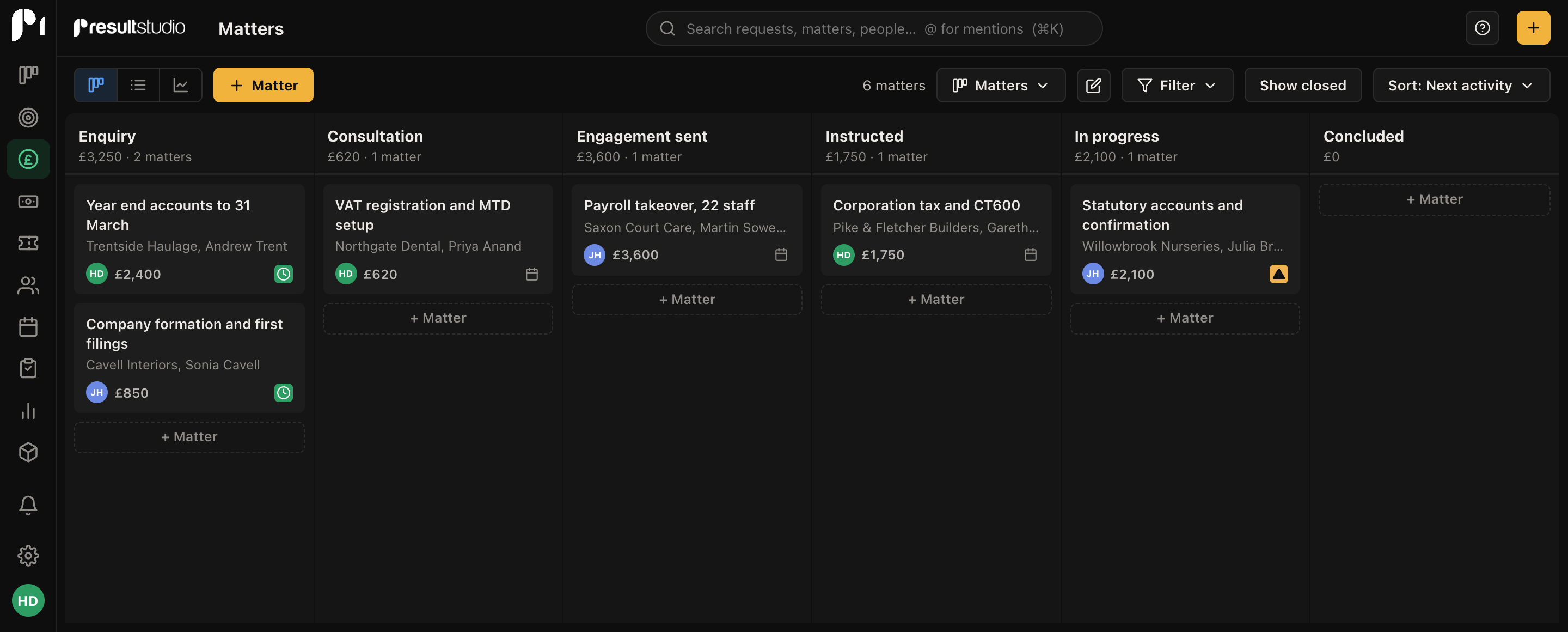
Sign up as a solicitor or an accountant and the app opens on Matters, not Deals. Clients, not Organisations. Engagement letters, not Proposals. The board reads Enquiry, Consultation, Engagement sent, Instructed, In progress, Concluded, and the queues are Client requests, Documents and Accounts.
Every word of that is editable, and a practice that calls them Instructions or Files can say so in a settings page. The point is that nobody should have to translate as they work.
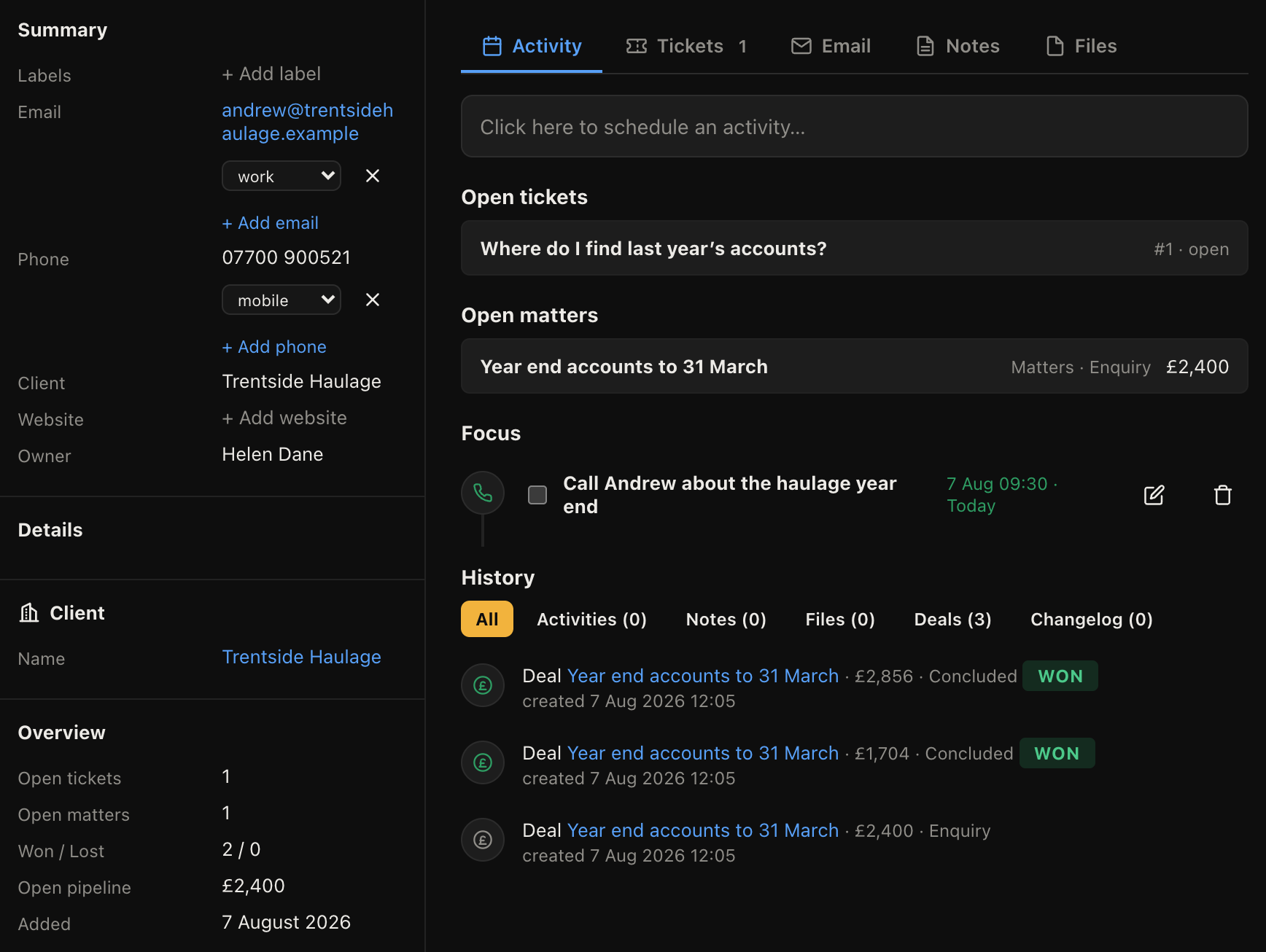
Every matter, request, email, note and document that touches a client sits on their record, including messages sent from Outlook or Gmail. When a client rings and you have not touched their file for four months, you are reading rather than remembering.
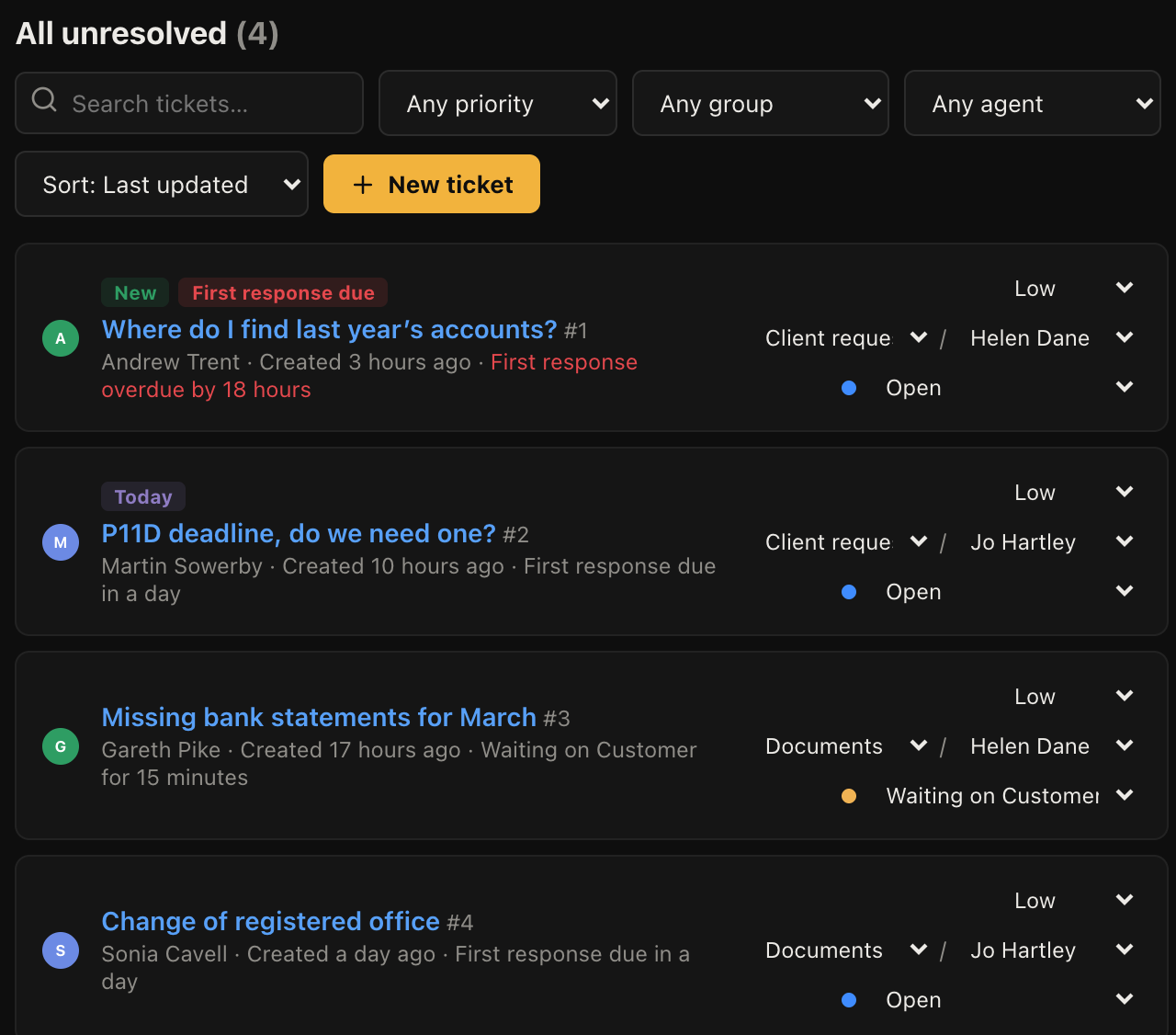
Client requests come in by email and become tracked items with response deadlines, rather than sinking in somebody's inbox while they are on holiday. Set the queues by department, route by rules, and see what has gone unanswered longest.
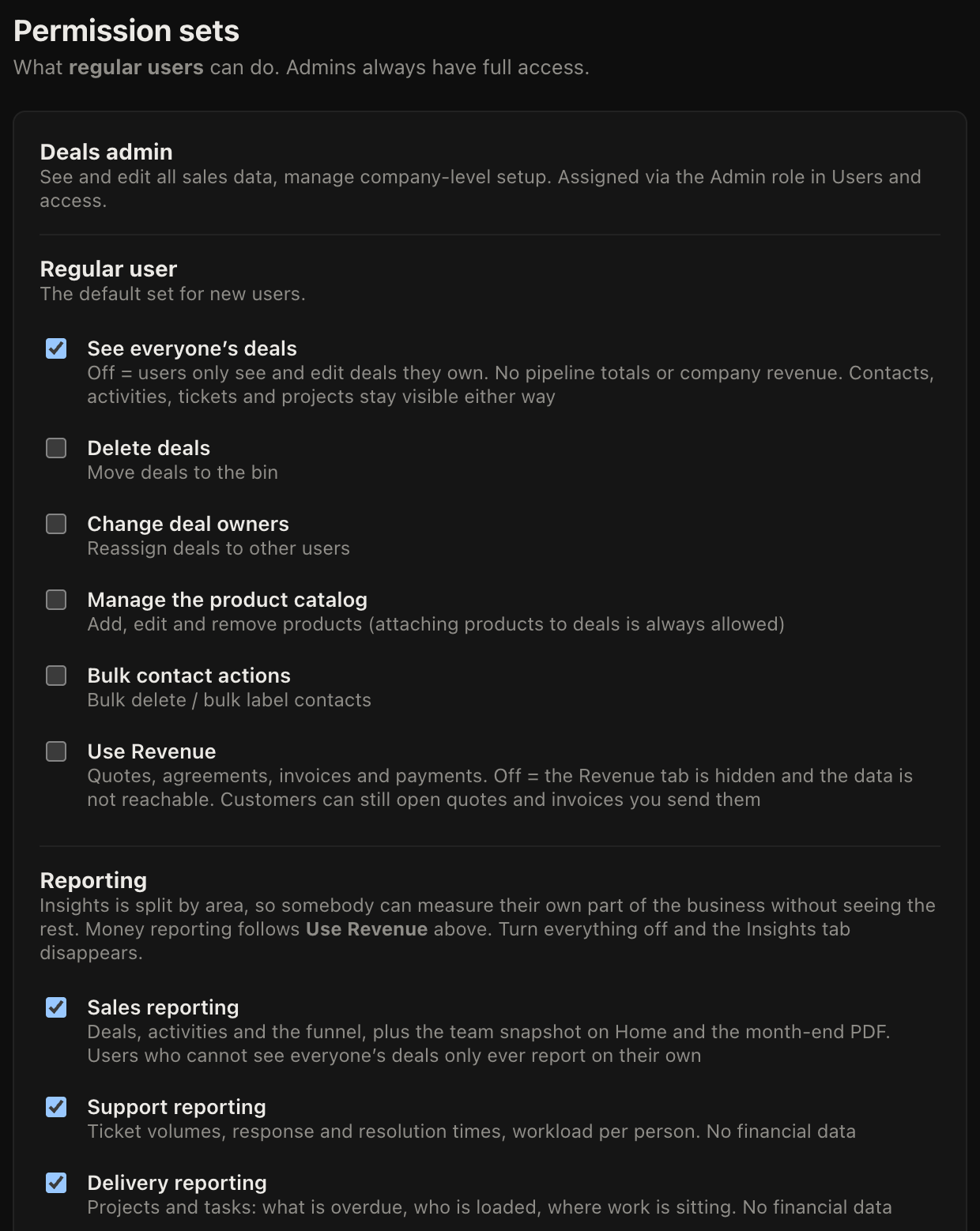
Fees, values and reporting sit behind per-person permissions. A junior can work their own matters without seeing what the firm charges or what anybody else is handling. Every change is written to an audit log with who did it and when.
Not yet, and this is the honest gap for a firm that bills hourly. Today you can see time spent per client at a monthly level, but there is no timer that records six-minute units by fee earner and pulls them onto an invoice. If you bill on fixed fees or retainers you are fine. If you bill hourly, tell us, because that is the feature that decides whether we build it next.
Each firm gets its own separate database rather than sharing rows in a large one, on a UK server. You can export everything as CSV at any time, and there is a written privacy policy covering what we hold and why.
Not in the regulated sense. It will not do conflict checks, AML workflows, client account reconciliation or Law Society forms. It handles the client relationship, the correspondence, the requests and the billing around a matter. Firms that need a full practice management system should keep it and use this alongside for the client-facing side.
There is a per-request thread a client can open from a link, without an account, to read replies and respond. There is not yet a full document portal with logins and folders.
Clients, contacts and matters import from CSV with column mapping and a preview before anything is written. Correspondence history usually does not come across cleanly from a mailbox, so most firms start fresh on emails and let the record build from the switch date.
Pick your profession at signup and the matters, wording and queues arrive ready. Free while we are in beta.
