Job management for electricians, plumbers, builders, tilers, roofers and installers. Result Studio knows the difference between where you send the bill and where you do the work, and it chases the customer who has not paid so you do not have to.
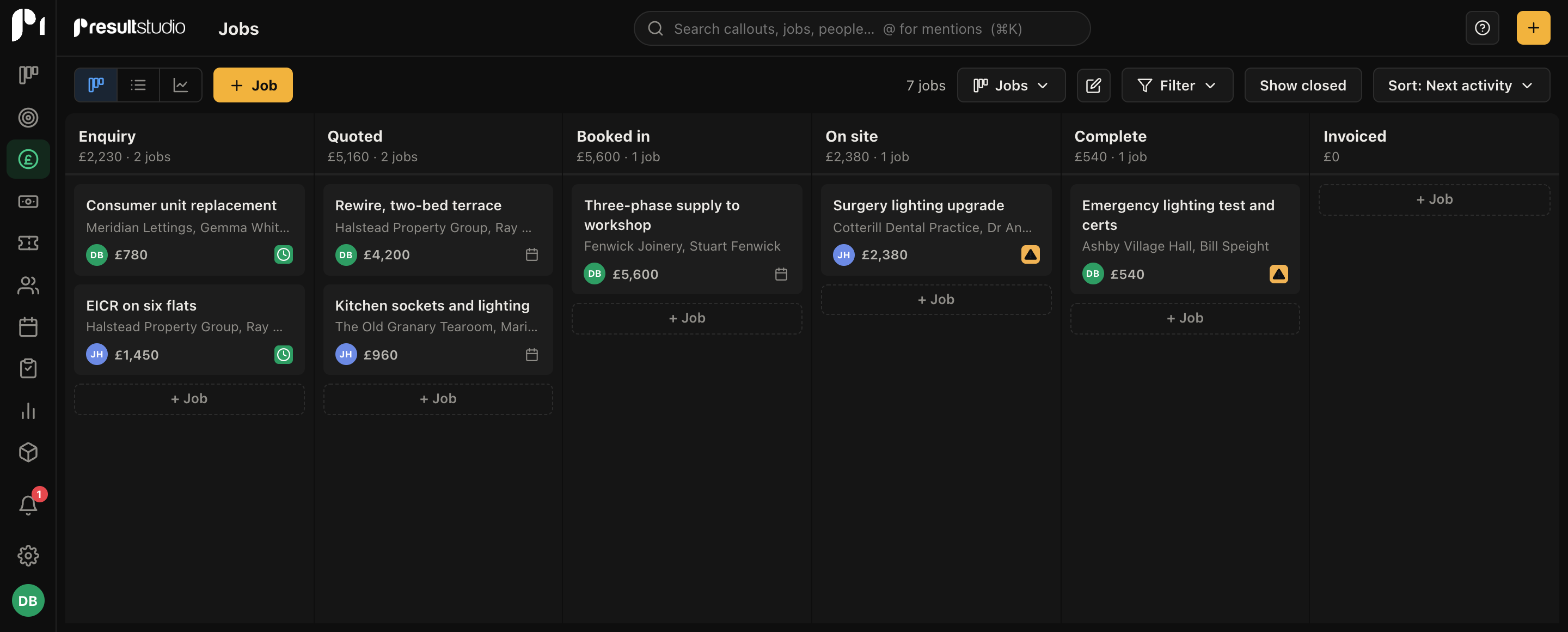
Tell it you are an electrician when you sign up and the board already reads Enquiry, Quoted, Booked in, On site, Complete, Invoiced. Not "Proposal Sent" and "Negotiation". You get Estimates rather than Proposals, Customers rather than Organisations, and Callouts rather than Tickets.
None of it is locked. Rename any of it, add stages, delete the ones you do not use. But you should not have to spend your first evening deleting somebody else's sales funnel before the thing makes sense.
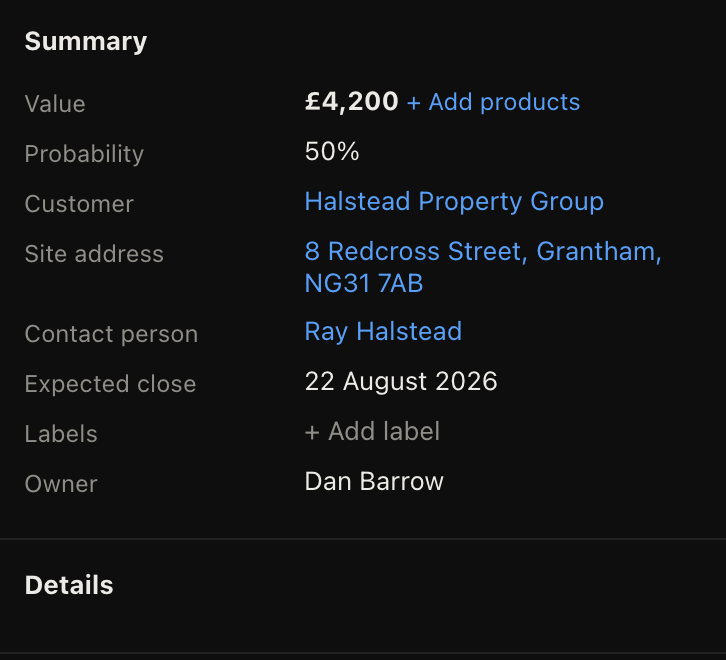
Every job carries its own site address, separate from wherever the invoice goes. That matters when the customer is a landlord in another county, or a letting agent booking work on six different properties. Tap it on the phone and it opens straight into maps.
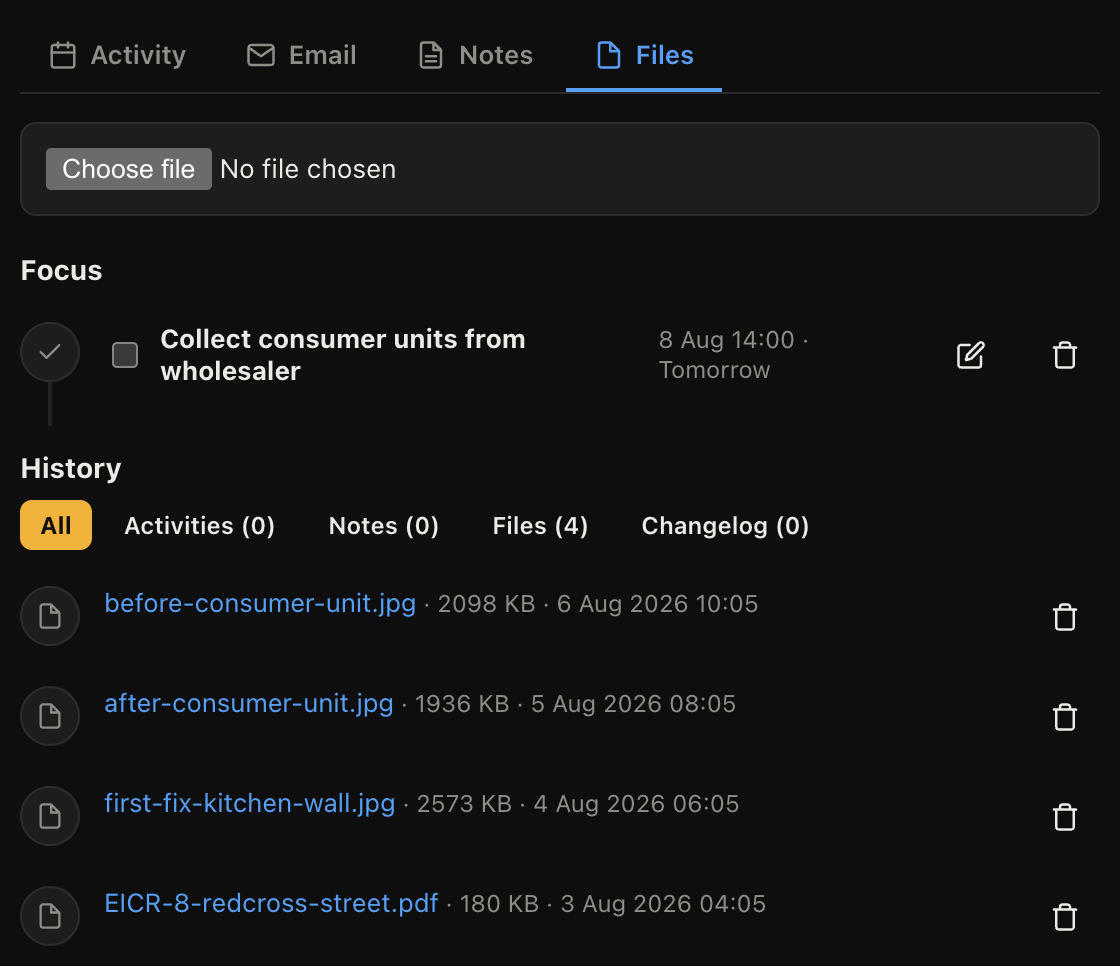
Before and after shots go straight onto the job from the phone, so six months later when somebody says the damage was already there, the answer is a photograph with a date on it rather than an argument. They appear on the job record on the office computer at the same time.
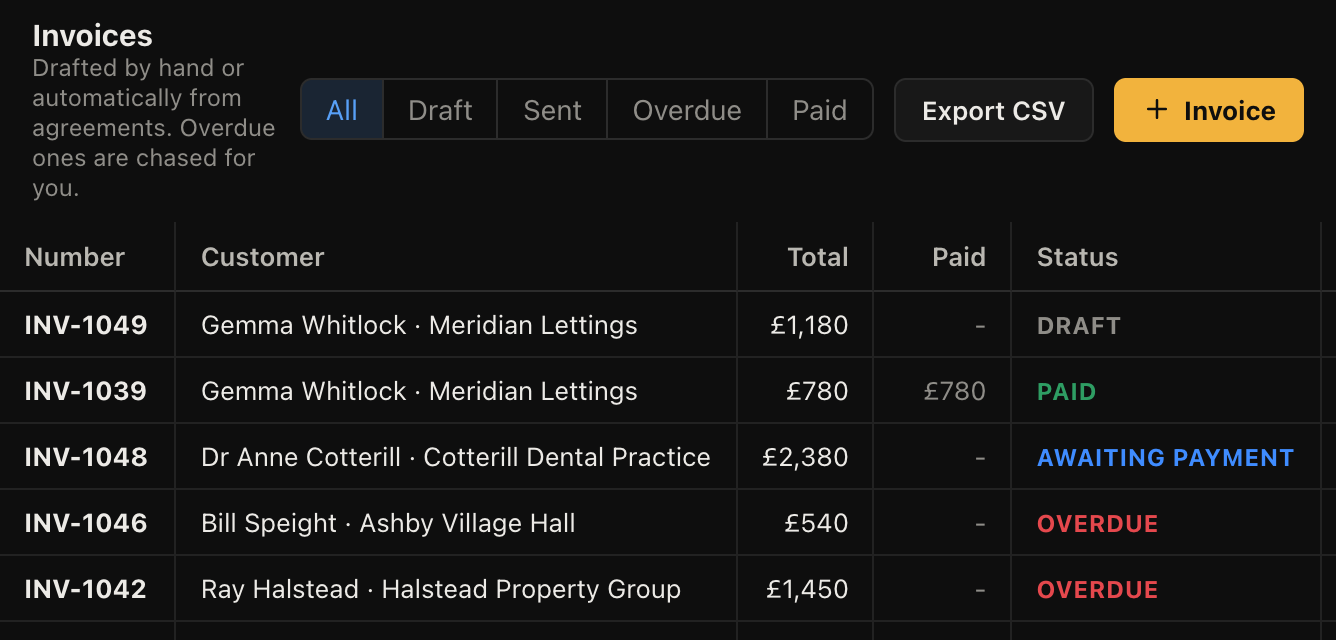
Send an estimate, turn it into a job when they say yes, and raise the invoice from the same record. Then Result Studio chases it. Three, seven and fourteen days after the due date it emails the customer for you, and stops the moment they pay.
There is a proper iPhone and Android app, not a shrunken website. Your jobs, today's list, your invoices and your callouts. Take the photo, move the job to Complete, raise the invoice, ring the customer back. It keeps a copy on the phone, so a basement with no signal still shows you the address you are standing outside.
Use the jobs board and the invoicing and ignore the rest. The helpdesk, live chat, projects and reporting sit there switched on but out of the way, and cost you nothing extra if you never open them. Plenty of one-van businesses use it as a diary that also chases money.
Not as a dispatch board with drag-and-drop across engineers. That is honestly not built yet. What exists today is a shared calendar of activities with each person's work on it, and a jobs board you can filter by owner. If you run several vans and need a proper day view, tell us, because that decides whether we build it next.
No. It will hold the PDF against the job, so the certificate lives with the record of the work, but it does not generate them. Keep using whatever you use now and file the result here.
You export everything as CSV and take the files with you. Your data is in your own database rather than mixed into everyone else's, and we will hand it over. No hostage-taking.
Only if you let him. Money and reporting are behind per-person permissions, so an engineer can see their jobs and addresses without seeing values, margins or anyone else's work.
The honest answer is that most one-man businesses do fine on paper right up until they do not: a job gets forgotten, an invoice never goes out, or a customer disputes work you cannot evidence. The two things worth having here are photos filed against the job and invoices that chase themselves.
Pick your trade at signup and the board, the wording and the queues arrive ready. Free while we are in beta.
