Boards, phases, tasks and templates, the way a delivery team expects. The difference is what each project is attached to: the deal that won it, the customer it belongs to, and the invoices it will raise.
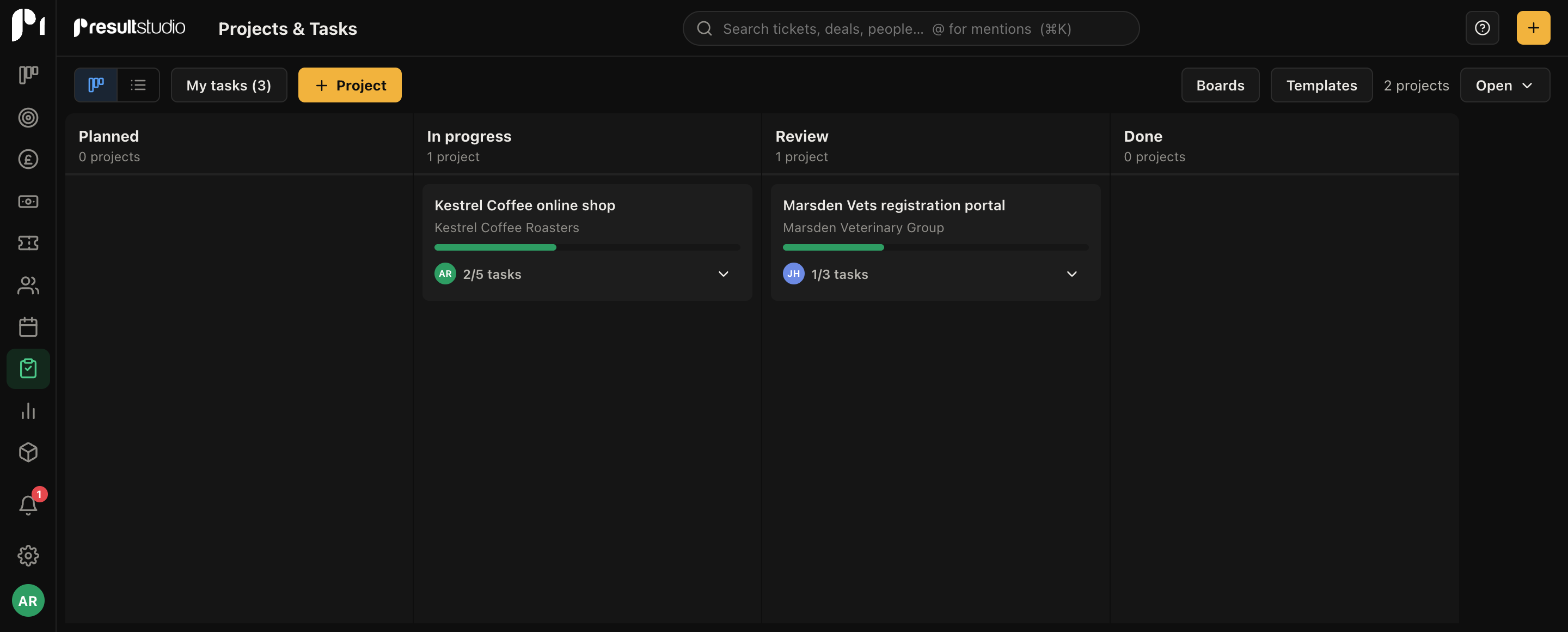
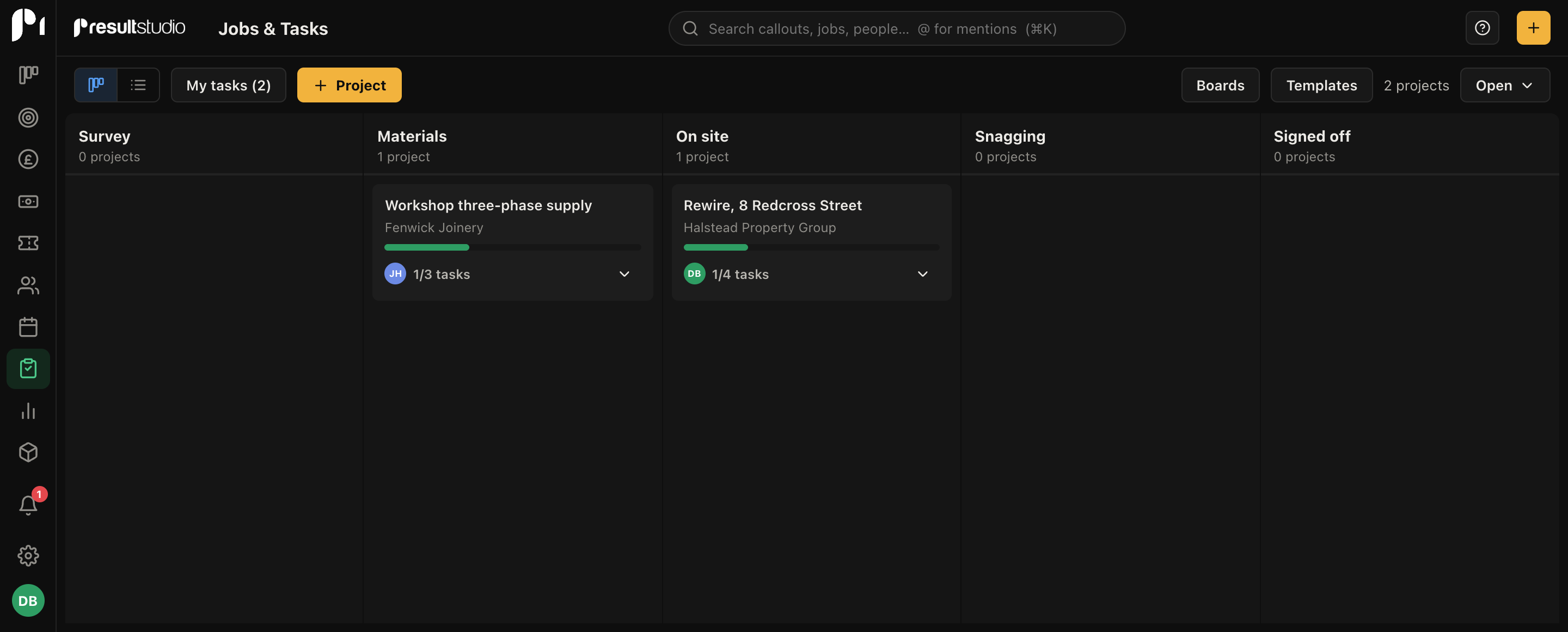
Set up boards for each kind of work with phases that match how you actually deliver. Drag projects between phases as they move, and see in one look what's in content, what's in build, and what's stuck in review.
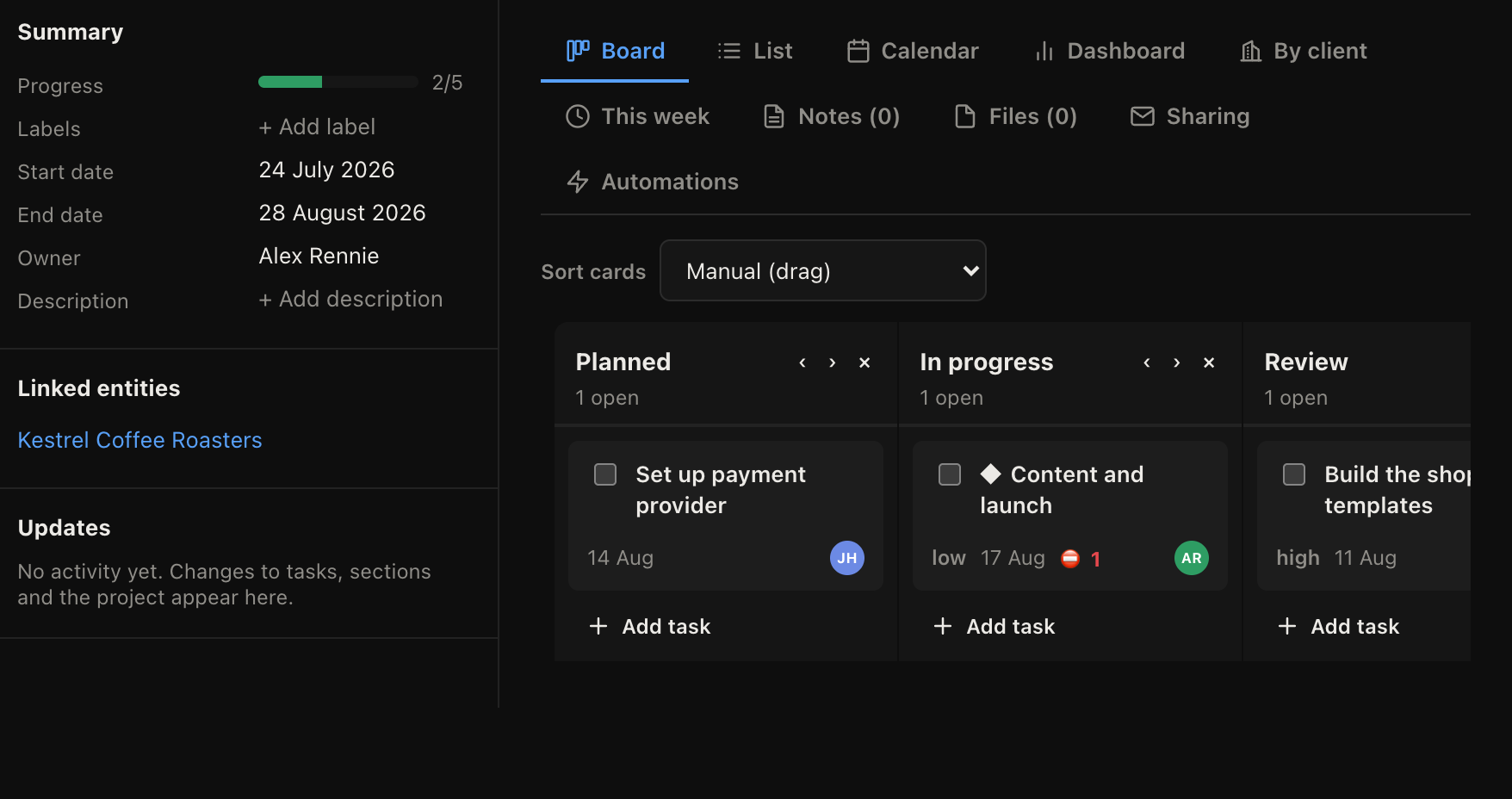
Inside each project: sections, tasks, subtasks, assignees, priorities and due dates, with comments and @mentions where the discussion should happen. Everyone gets a My Tasks view of what's on their plate across every project.
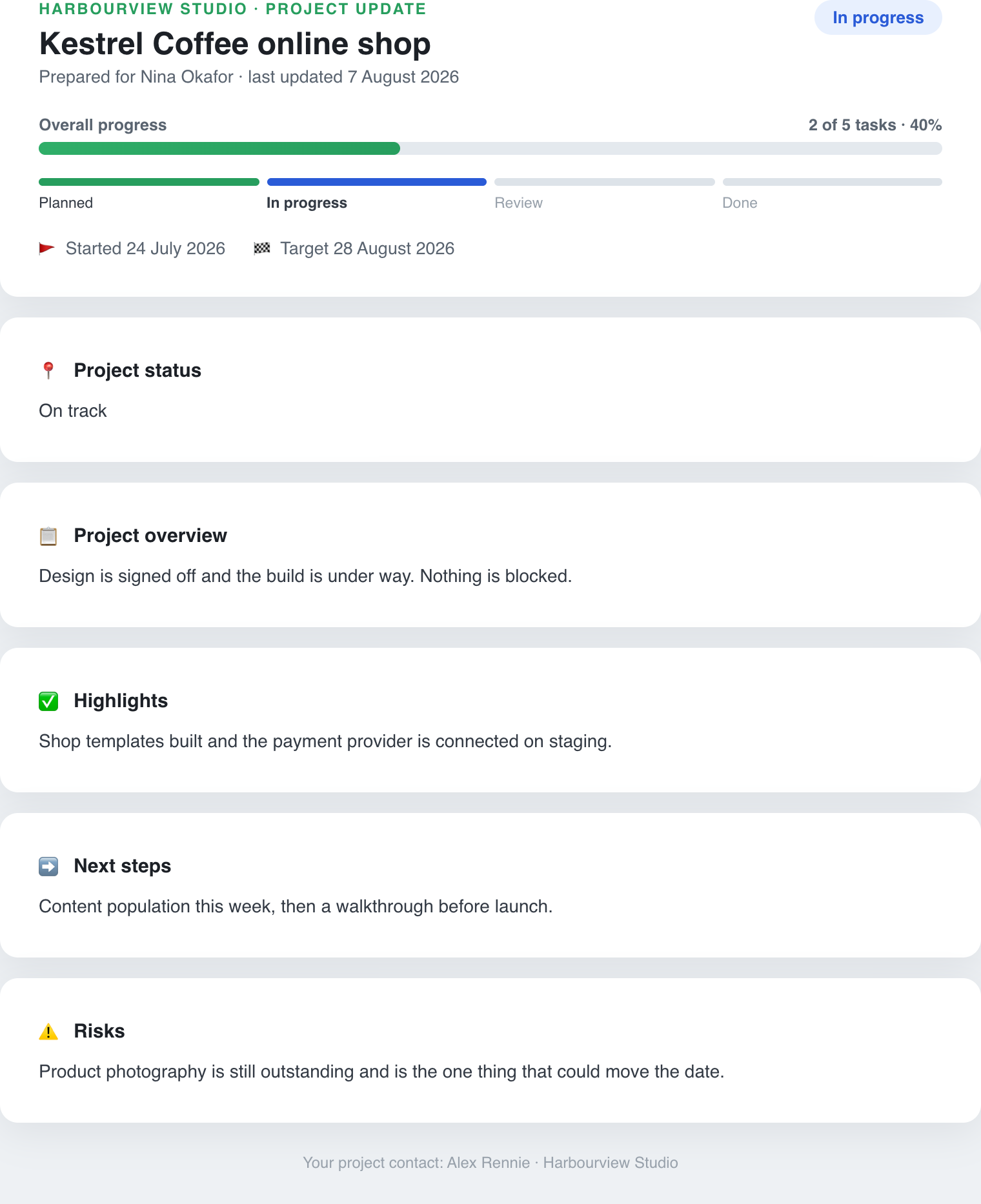
Each project can publish a live progress page: phases done, tasks ticked, and a plain-English summary. Clients check it whenever they like, which is the politest possible end to "just chasing an update".
Yes, and to the customer and company too. Win a deal, start the project from it, and the whole chain stays connected: anyone opening the customer's record sees the project and its state without asking around.
Yes. Save any project structure as a template, then start new jobs from it with the phases and task list already in place. We use one for every website build.
Only what the share page shows: phase progress and a summary. Internal comments, assignees and the working detail stay inside the workspace.
When the deal is won, the project starts with the context already attached.
