
Deals are for winning work. Projects are for delivering it. They are separate on purpose: the questions are different, the people are often different, and squeezing delivery onto a sales board makes both worse.
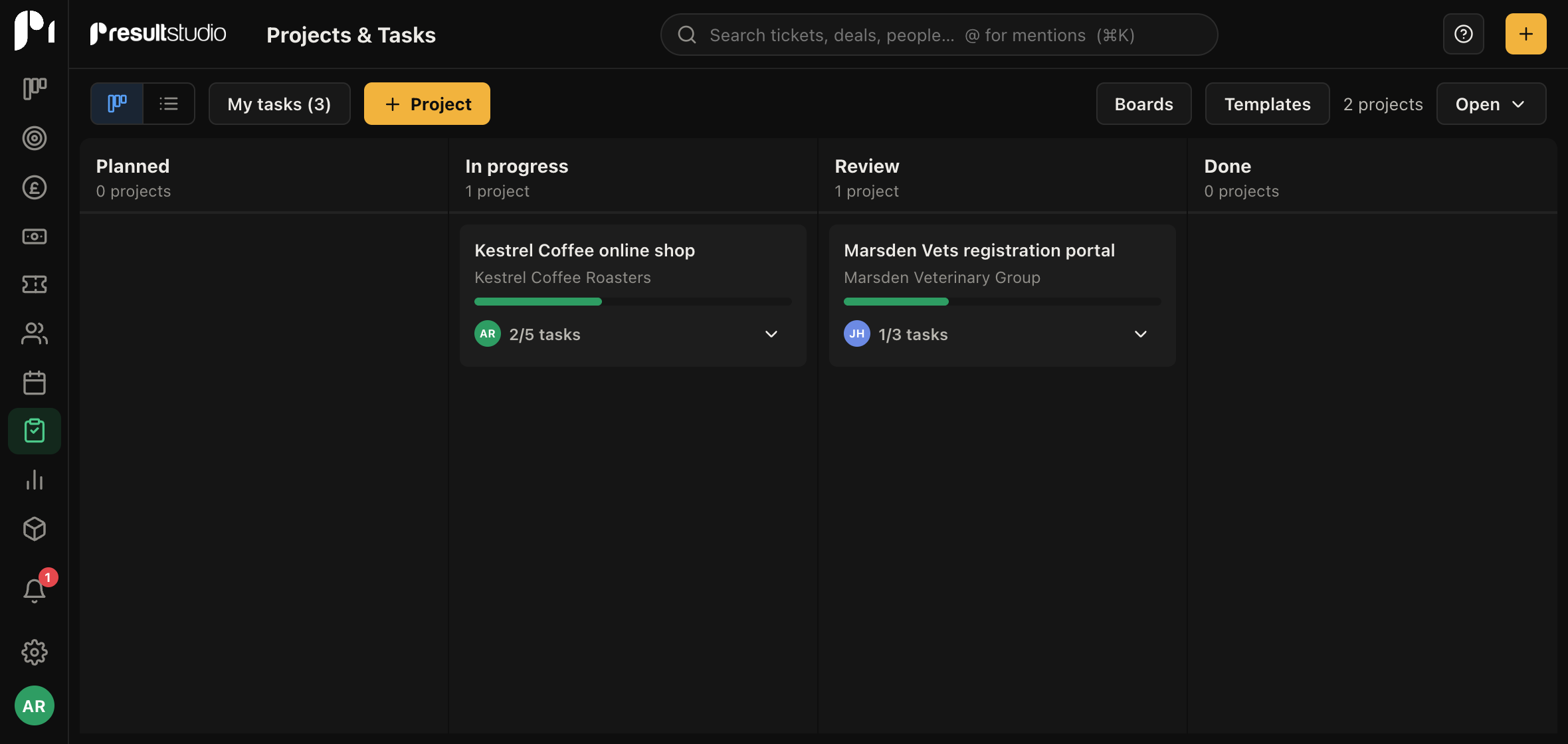
Boards, projects, sections, tasks
Four levels, and it is worth being clear about them because the words get used loosely.
| Level | What it is |
|---|---|
| Board | A group of projects that go through the same delivery stages. Most companies need one or two |
| Project | One piece of work for one customer |
| Section | A group of tasks inside a project: a phase, a workstream, a week |
| Task | One thing somebody has to do |
A board is not a client and not a department. It is a set of stages. If two kinds of work move through genuinely different stages, they want two boards. If they do not, one board with a filter is simpler.
The views inside a project
Open a project and you get nine tabs. The ones you will live in are the first three.
| Tab | Best for |
|---|---|
| List | Everything at once, with columns you choose and cells you can edit in place. The default |
| Board | Dragging tasks between sections, when you want to see shape rather than detail |
| Calendar | What is due when, by week or month |
| Dashboard | Progress, who is loaded, what is overdue |
| By client | The same tasks grouped by customer, for projects that serve several |
| This week | A short list of what is due in the next seven days |
| Notes | Decisions and context |
| Files | Everything attached anywhere in the project |
| Sharing | A read-only progress page you can send the customer |
| Automations | Rules that fire when things change |
List is the default because it is the one that answers "what is the state of this job" fastest. Board is better when you are planning rather than checking.
Where to start
Read Creating a project next, then Sections, which is the piece people most often miss and the one that makes a project readable.