
Anyone at your company can have their own login. There is no shared account, and there should not be: the history of who did what is only worth having if it is accurate.
Adding someone
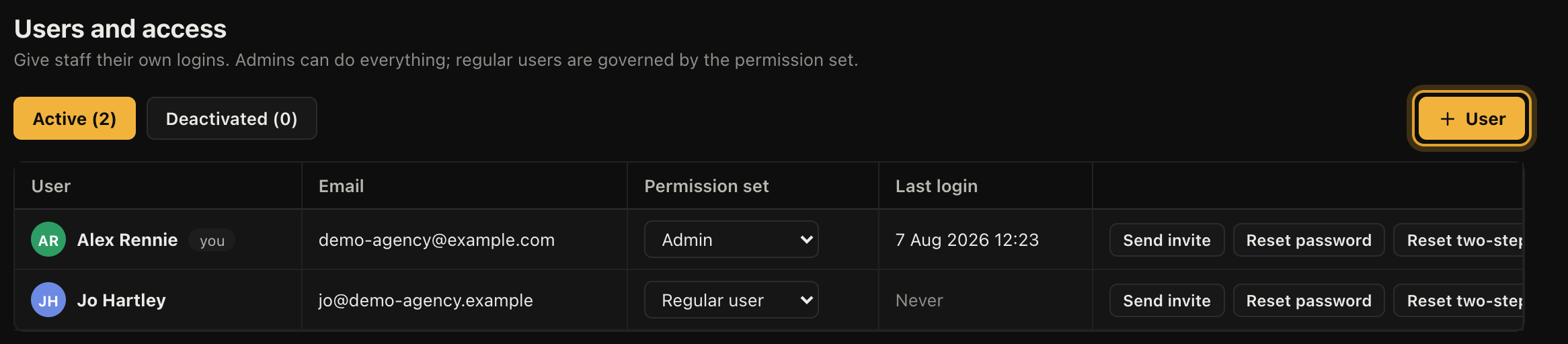
- Open Settings, then Users and access.
- Click + User.
- Enter their name and email address, and choose whether they are an admin or a regular user.
- Leave the password field blank and click Create and send invite.
They get an email with a link to set their own password. The link is for them alone and you never see or set the password yourself.
If an invite goes astray, the Send invite button next to their name sends it again.
Admins and regular users
An admin can do everything, including changing settings, seeing every record and managing other users. A regular user is governed by the permission set described below.
Keep the number of admins small. It is not about trust so much as blast radius: settings changes affect everybody at once.
Set permissions before you invite, not after
This is the one piece of advice worth taking seriously. Money, reporting and other people's records all sit behind per-person controls, so an engineer can work their own jobs without seeing what anything is worth or what colleagues are handling.
Sorting that out first is far easier than explaining afterwards why somebody could see the margins. See Permission sets for what each switch does.
When somebody leaves
Deactivate them rather than deleting them. Their name stays on the work they did, their deals and tickets keep their history, and they can no longer sign in. Deactivating also ends any session they currently have open.
Reactivating puts them straight back, so this is also the right move for somebody on long leave.