
Admins can do everything. Everybody else is governed by one company-wide set of permissions, edited under Settings, then Permission sets.
One set rather than one per person is a deliberate simplification. It covers the case almost every small business actually has, which is "the office can see the money and the field cannot", without asking you to maintain a matrix.
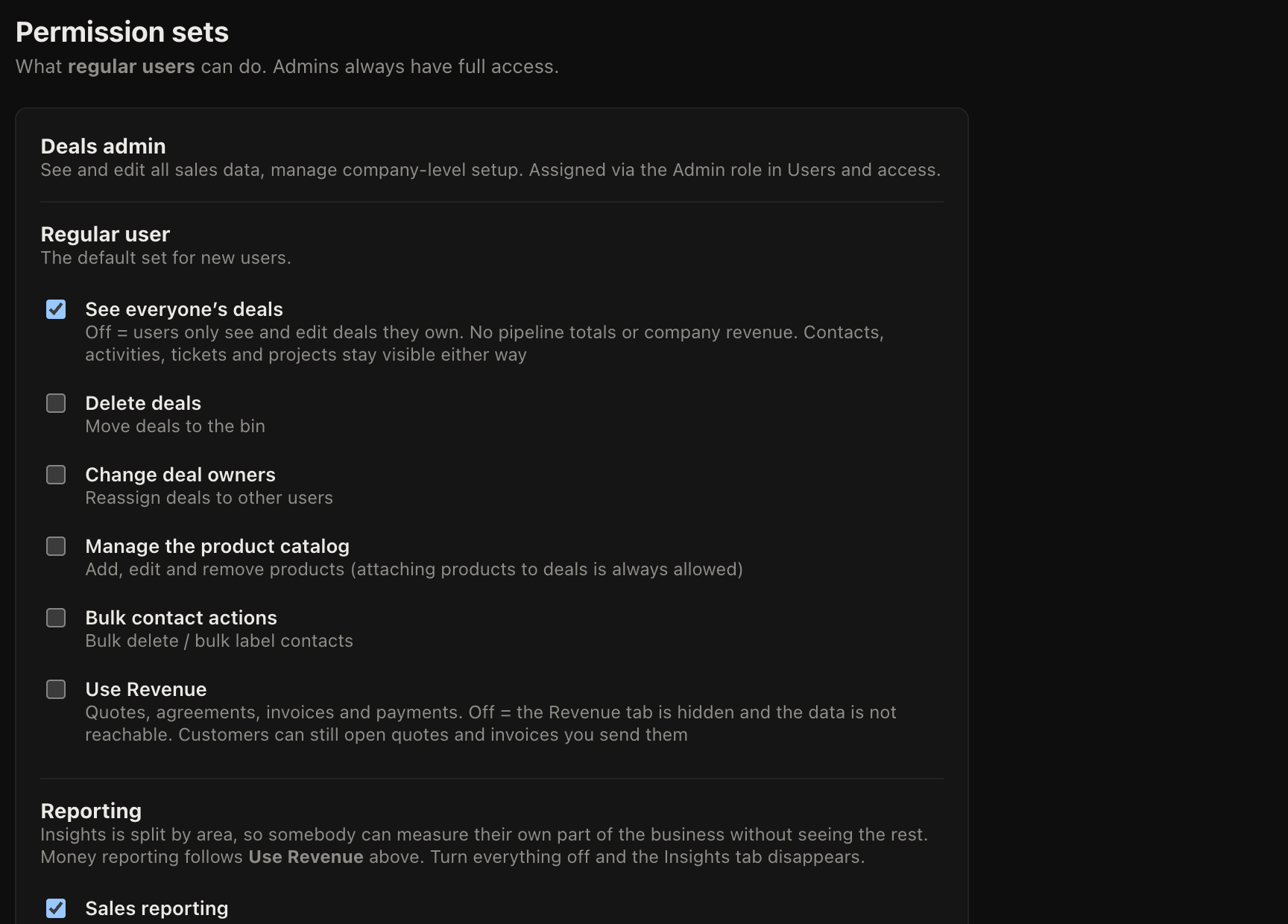
What each one does
| Permission | Off means | Default |
|---|---|---|
| See all deals | They see only their own records, and only their own people, organisations and activities | On |
| Delete deals | They can close a deal as lost but cannot remove it | Off |
| Change owner | They cannot reassign work to somebody else | Off |
| Manage products | The product list is read only for them | Off |
| Bulk manage contacts | No bulk edit or bulk delete on contact lists | Off |
| Sales reporting | Insights hides deal values, the funnel and activity reporting | On |
| Support reporting | Insights hides ticket reporting | On |
| Delivery reporting | Insights hides project and task reporting | On |
| Revenue | The whole Revenue section disappears, along with its reporting | Off |
Why reporting is split three ways
Reporting used to be a single switch, and that was a mistake. Granting a support lead their ticket numbers also handed them every deal value in the company, so admins reasonably switched the whole thing off and then nobody could measure anything.
Splitting it means the person running the helpdesk can measure the helpdesk. Ticket and project reporting default on because that data is already visible one record at a time, so counting it reveals nothing new. Sales figures and Revenue are the two that genuinely expose something, and Revenue is the one that starts closed.
Checking it worked
Permissions are worth testing rather than trusting. Add yourself a second user account with a regular role, sign into it in a private browser window, and look at what it can reach. It takes five minutes and it is the only way to be sure.