
Open Settings, then Pipelines. Add, rename, reorder or delete stages, and run as many separate boards as your business needs.
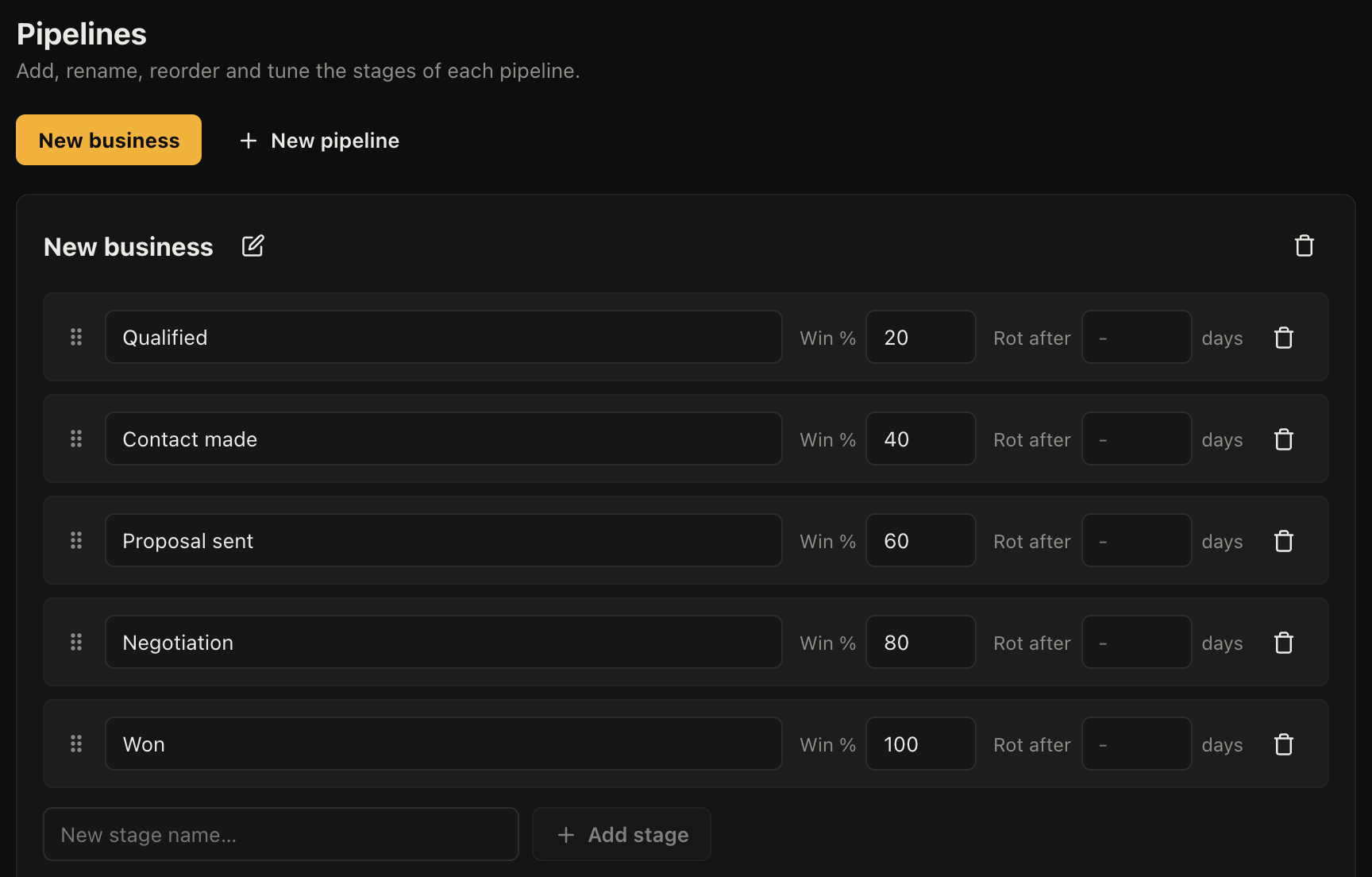
Designing stages
The rule that works: a stage is a state the customer is in, not a task you have to do.
"Quoted" is a stage, because the customer either has your quote or does not. "Send quote" is not a stage, it is a job, and it belongs on the deal as an activity. Boards built out of tasks end up with fifteen columns and nobody uses them.
Six to eight stages is normal. If you are past ten, some of them are tasks.
Probability
Each stage carries a probability, and that is what makes the board double as a forecast without any extra work from you. Something at 20% counts as a fifth of its value in the forecast; at 90% it counts as almost all of it.
Set them from what actually happens rather than from optimism. If half the things you quote come off, "Quoted" is 50%, whatever it feels like.
Rotting days
Rotting days flag work that has sat in one stage too long. Set it per stage, because the realistic dwell time is not the same for each: two weeks in "Quoted" is a worry, two weeks in "Awaiting materials" is a Tuesday.
The enquiry you forgot about is usually the one that cost you, so this is worth setting even if you ignore everything else on this page.
More than one board
Add a second pipeline when the work genuinely moves through different states, not just when it is a different kind of customer. New installations and service contracts justify separate boards. Two boards for north and south are better handled with a label and a filter.
Each board has its own stages, its own totals and its own forecast.