
There are three ways in, and they all open the same form.
- The + button at the top right of any screen.
- The + Deal button at the top of the board, which starts it in the first stage.
- The small + at the head of any stage column, which starts it in that stage.
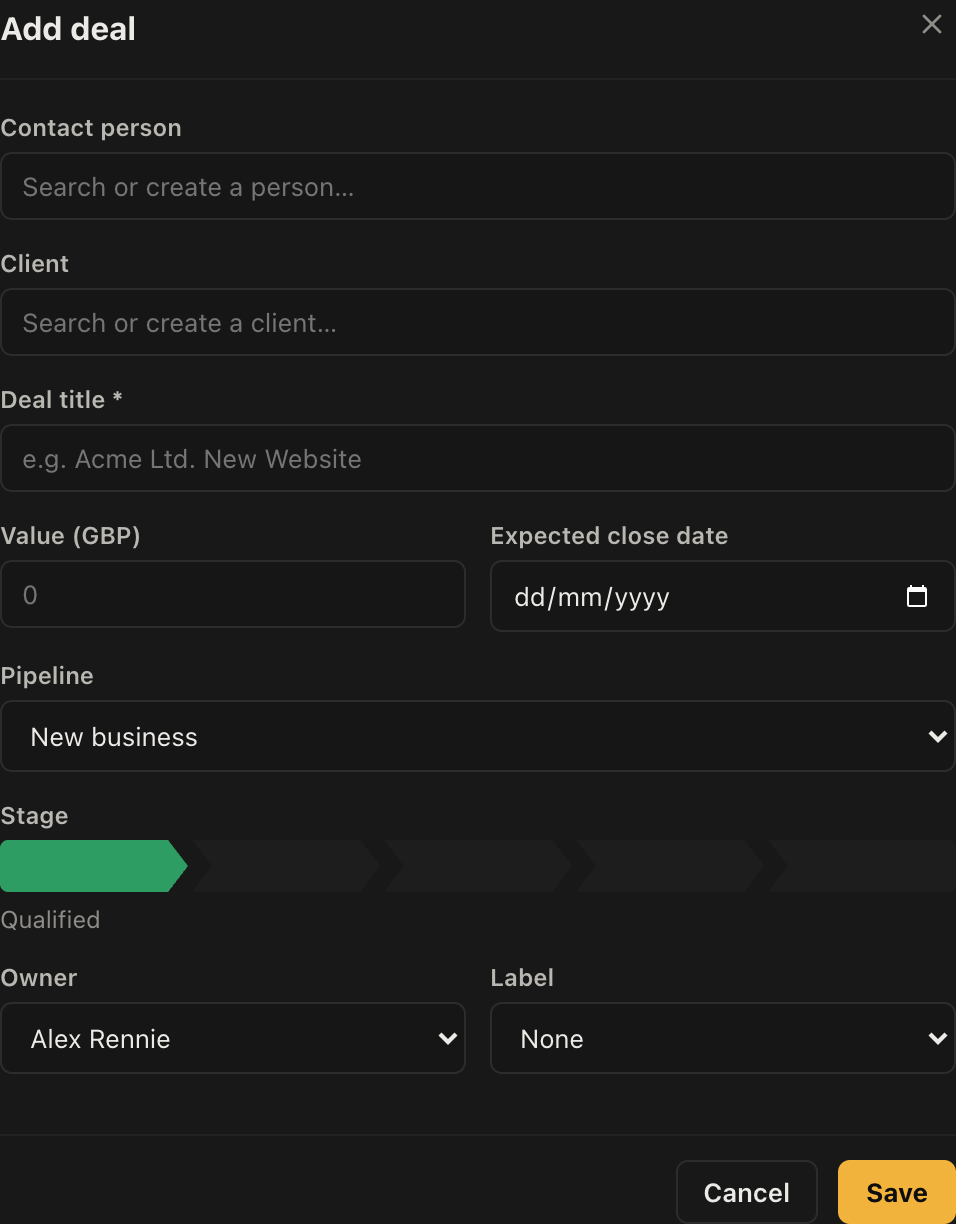
The form
Only the title is required. Everything else can be filled in later, and while you are on the phone that matters more than completeness.
- Start typing the contact's name. Existing people appear as you type.
- If they are new, the same box offers to create them. There is no need to go and add the person first.
- Do the same for the organisation.
- Give the deal a title. Something a colleague would recognise in a list, so "Acme Ltd. New Website" rather than "New Website".
- Add a value and an expected close date if you know them.
- Choose the pipeline and stage.
- Set the owner and a label if you use them.
Naming things
Titles are what you will read on cards, in search and in reports. The pattern that works is customer plus what the work is. Titles like "Quote" or "Enquiry" are the ones people regret three months later when there are forty of them.
What happens next
The deal appears on the board straight away, and the person and organisation you created are now full records with their own history.
Schedule something against it before you close the form and move on. A deal with no next activity shows a warning badge on the board precisely because it is the state that costs money.